
Selling reduces or closes a holding only when the order executes. Submitting a sell order does not immediately make the proceeds available to withdraw.
Before you start
Check the quantity you hold and whether any open orders reserve shares. Consider the consequences of selling before placing an order.
01Open the holding
Open the stock you hold, verify the symbol, and enter Trade. Select Sell rather than Buy.
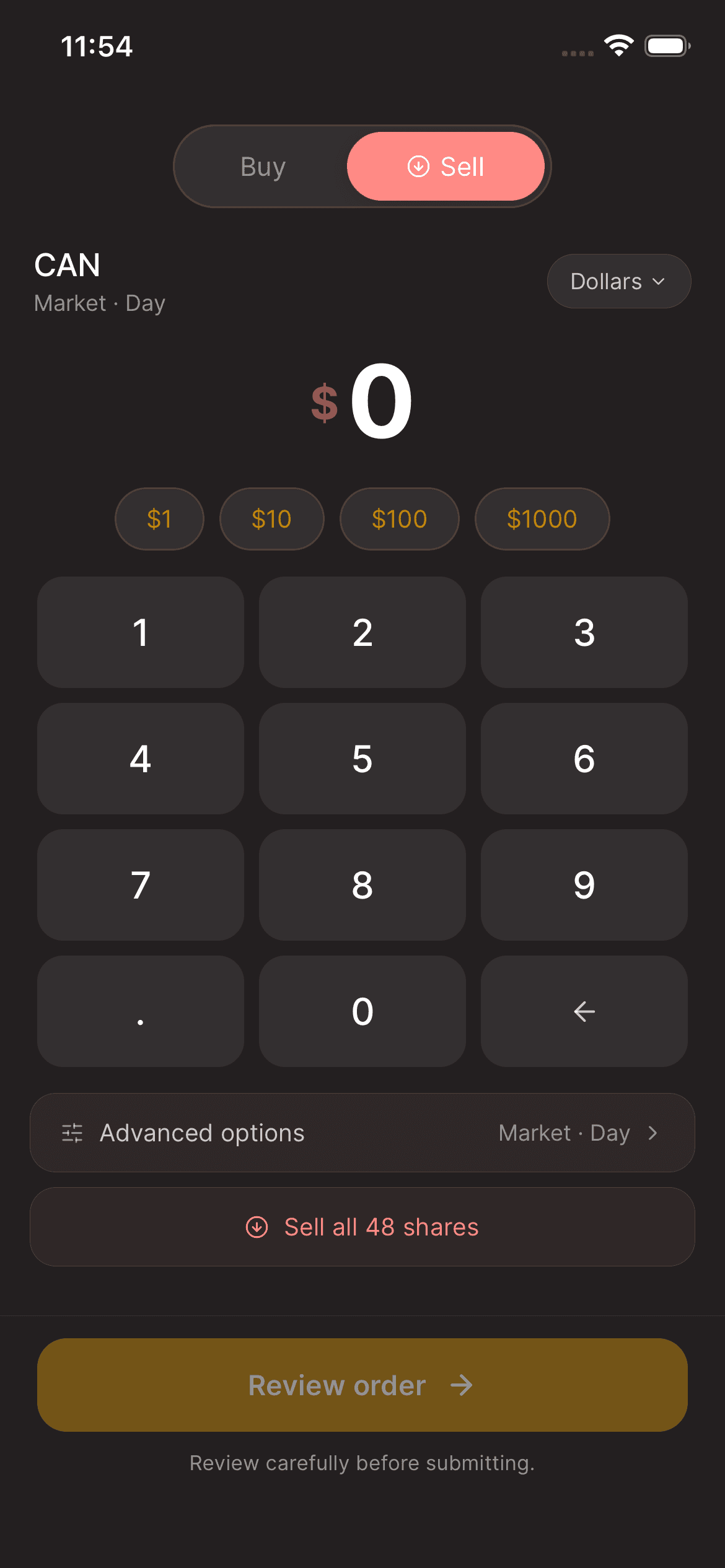
02Choose the quantity
Enter the amount or shares you intend to sell using the supported options. If you intend to exit the entire position, use Sell all when shown and review the quantity, including fractional shares.
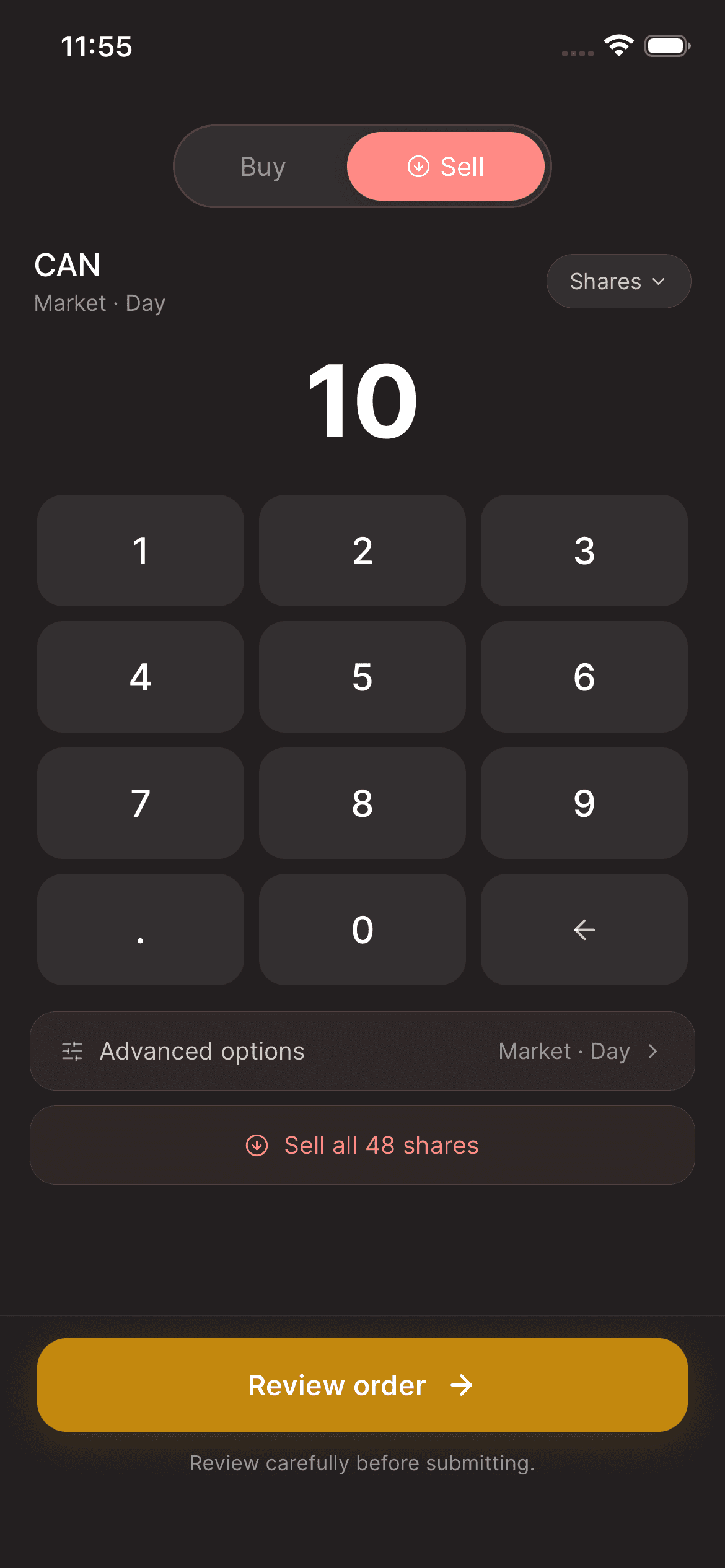
03Review and place the sell order
Check the security, sell quantity, order type, and any price conditions on Review order. Select Place sell order only after confirming the details.
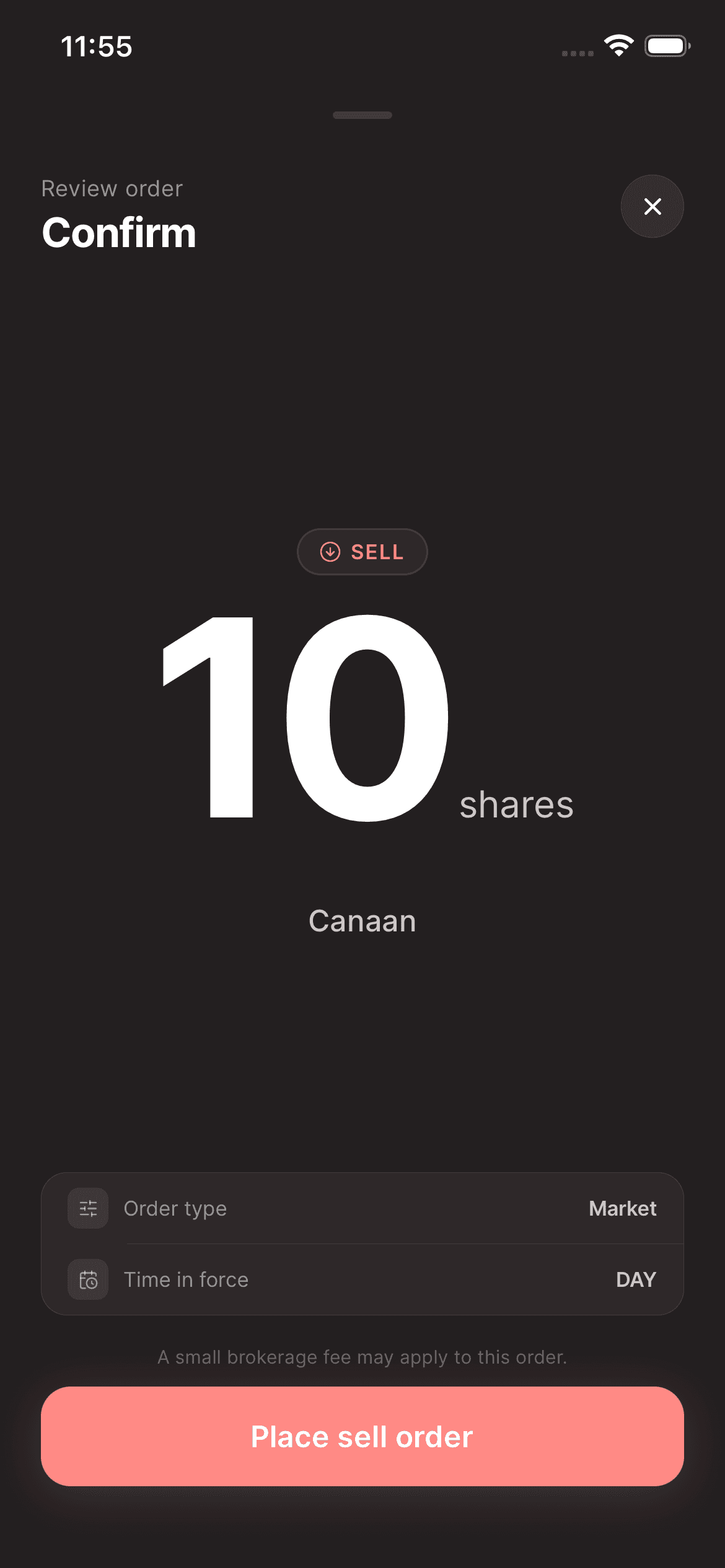
04Confirm the outcome
Check your order status and remaining position. An unfilled or partially filled order may leave holdings in the account. For a withdrawal, wait until the proceeds appear as eligible cash.

Keep in mind
If a position cannot be sold through the app, contact support. Do not assume an account is ready to close just because a sell request was submitted.
Need help with your account? support@asalinvest.com