
Shariah screening is part of the stock details in your Asal Invest app. You can research a security, read its status breakdown, and return to the same stock without moving to a separate tool. The status summarizes the available screening information; its supporting checks and report dates provide the context.
Before you start
Open the Asal Invest app and have the stock symbol or company name ready. Similar names can refer to different securities, so check the exact listing before reading its status.
01Find the stock in the app
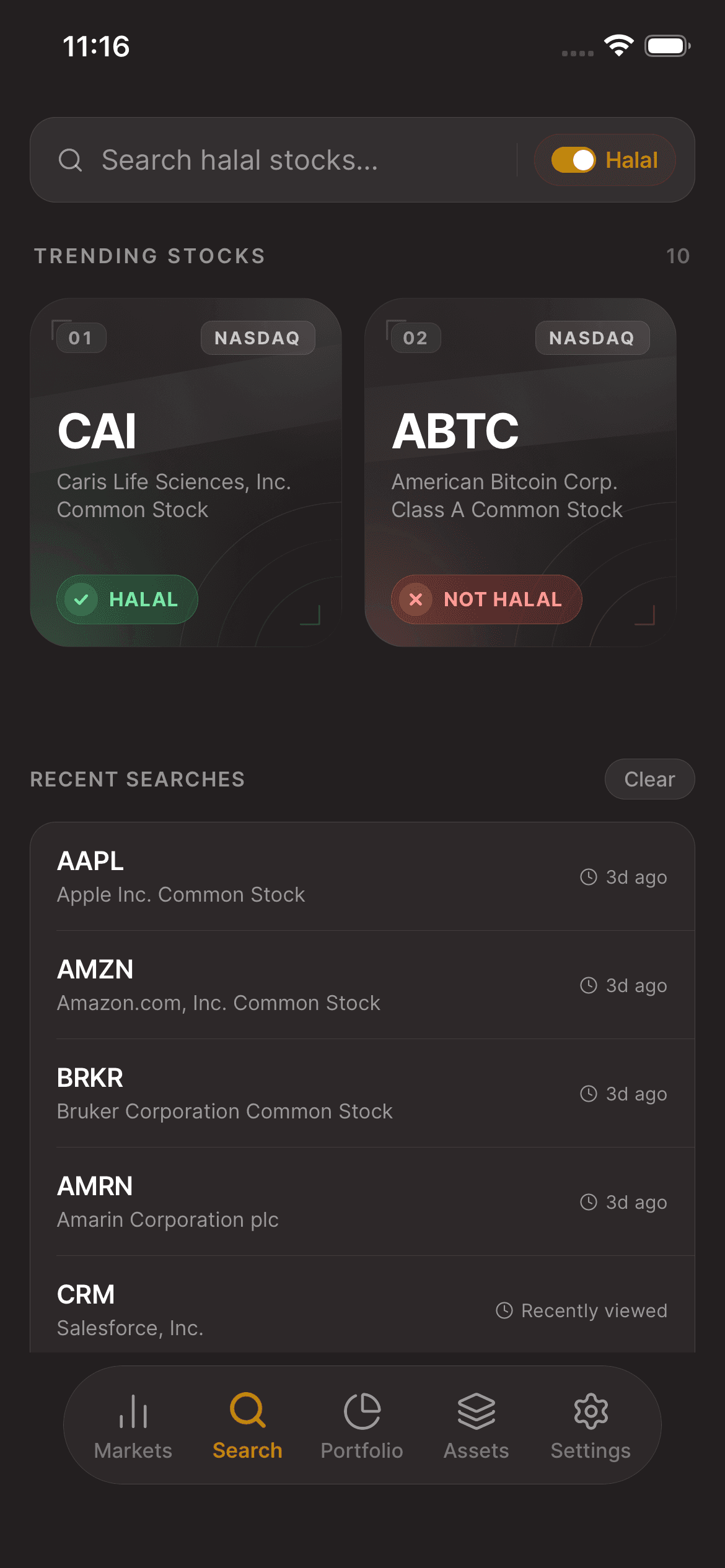
Open Search and enter the company name or ticker. Match the name and symbol in the results, then open the security's details. Searching or opening the stock does not place an order.
02Find its Shariah status breakdown
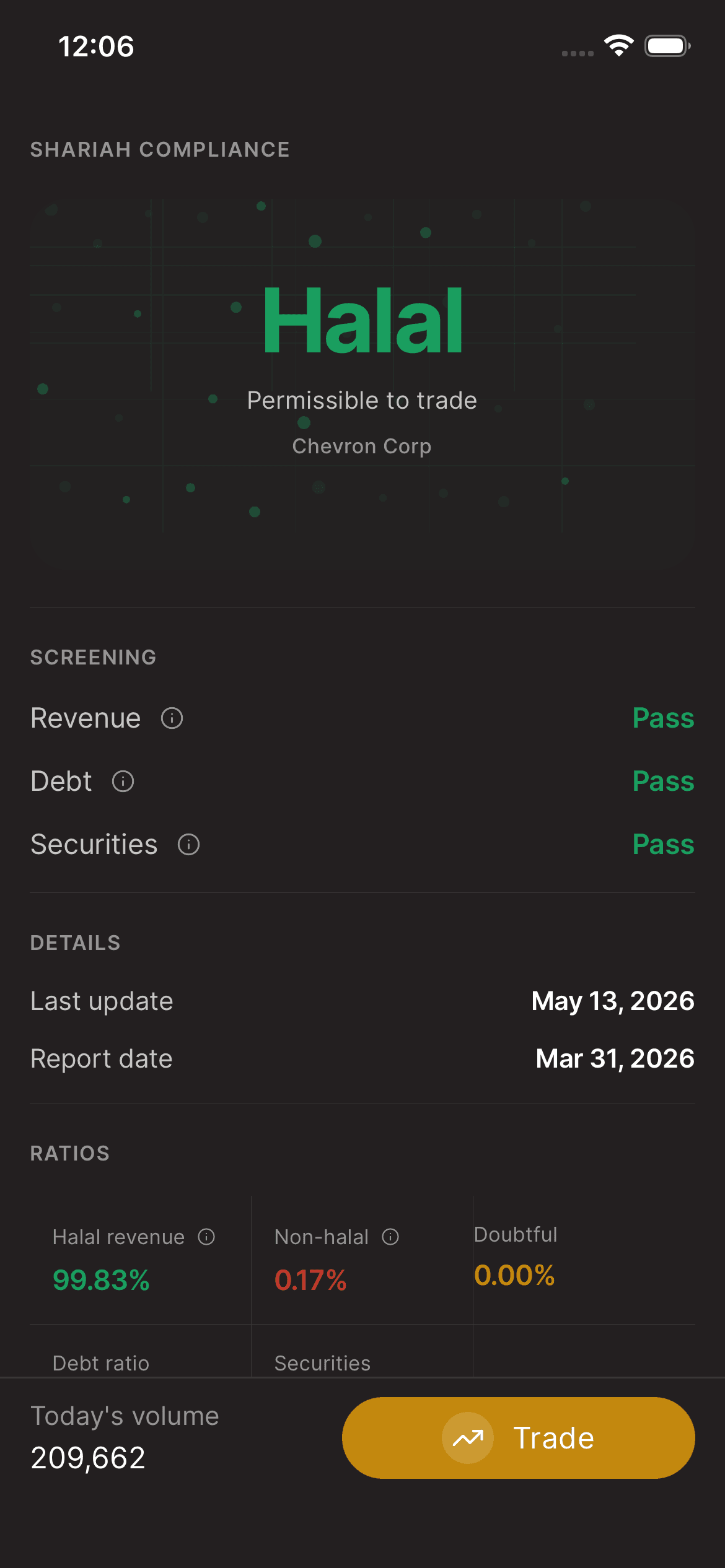
On the stock details screen, scroll down to the Shariah Compliance section. Read the displayed status and the Revenue, Debt, and Securities screening checks. Use the information icons where available to understand a label. A missing or unavailable result is not a passed check.
03Check the report dates
In Details, review Last update and Report date together. They describe different parts of the available information; opening the screen today does not mean the company's financial report is from today. Keep any doubtful, incomplete, or unavailable status distinct from a halal result.
04Read the ratios and financial breakdown
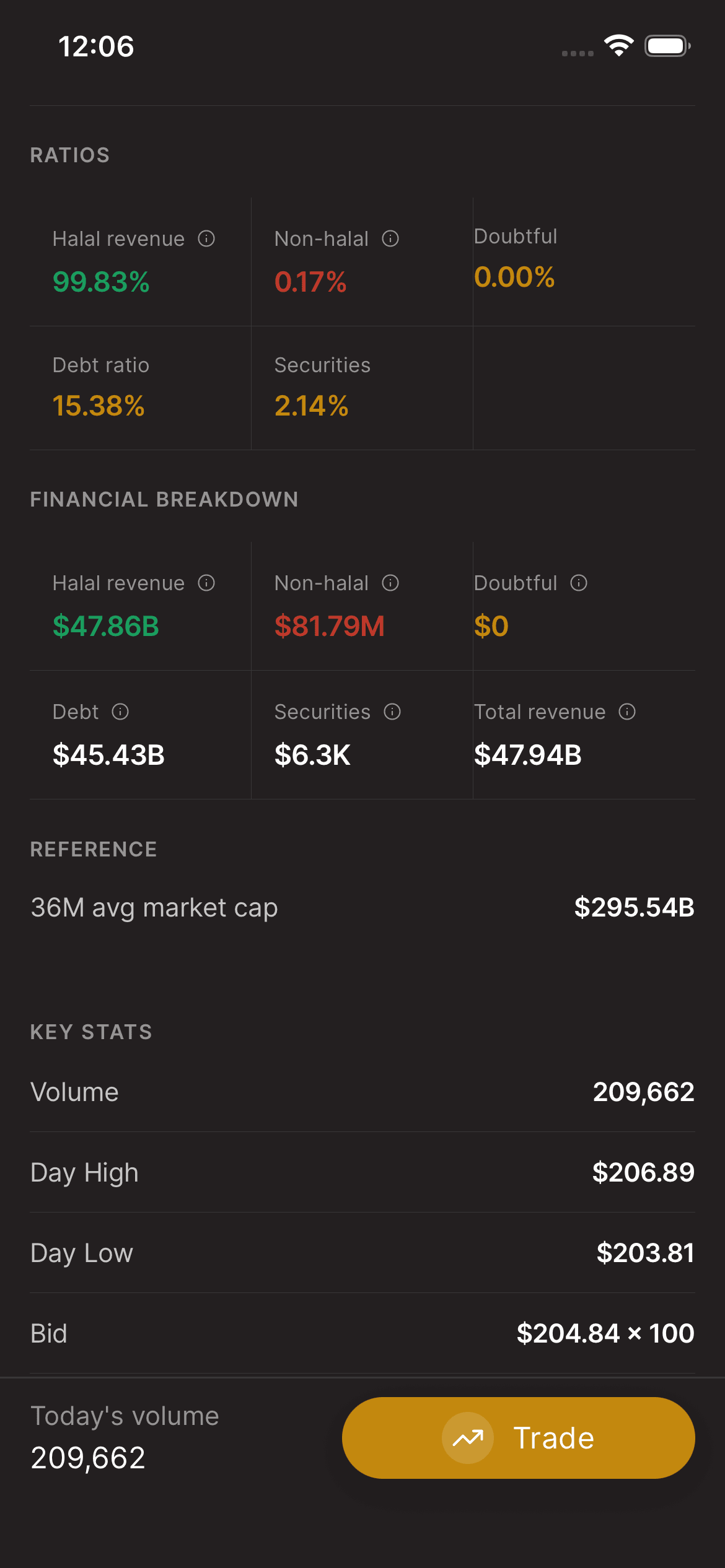
Scroll further down within the same view to Ratios and Financial breakdown. Review the available revenue categories, debt, securities, and their labels together. Tap an information icon where shown for context. Abbreviations such as m and b represent millions and billions; a missing amount is not zero. Use the figures actually shown for that security rather than the example values in a screenshot.
05Continue researching the same stock
Scroll back up to the stock's other details when you have finished reading the breakdown. Your stock research, screening information, and trade entry remain part of the same app experience. If a field or status is unclear, contact support rather than assuming the result or placing a trade to test it.
Keep in mind
Screening information can change and is provided for informational purposes. A screening status does not assess investment suitability or guarantee performance.
Need help with your account? support@asalinvest.com