
Cancellation is a request, not an immediate reversal. An order can execute before the cancellation takes effect, and already filled shares are not undone by canceling the remainder.
Before you start
Locate the order you want to cancel and check its latest status.
01Open the pending order
In Markets, find the order in Open orders. Check the stock symbol and buy or sell side so you do not act on a different order.
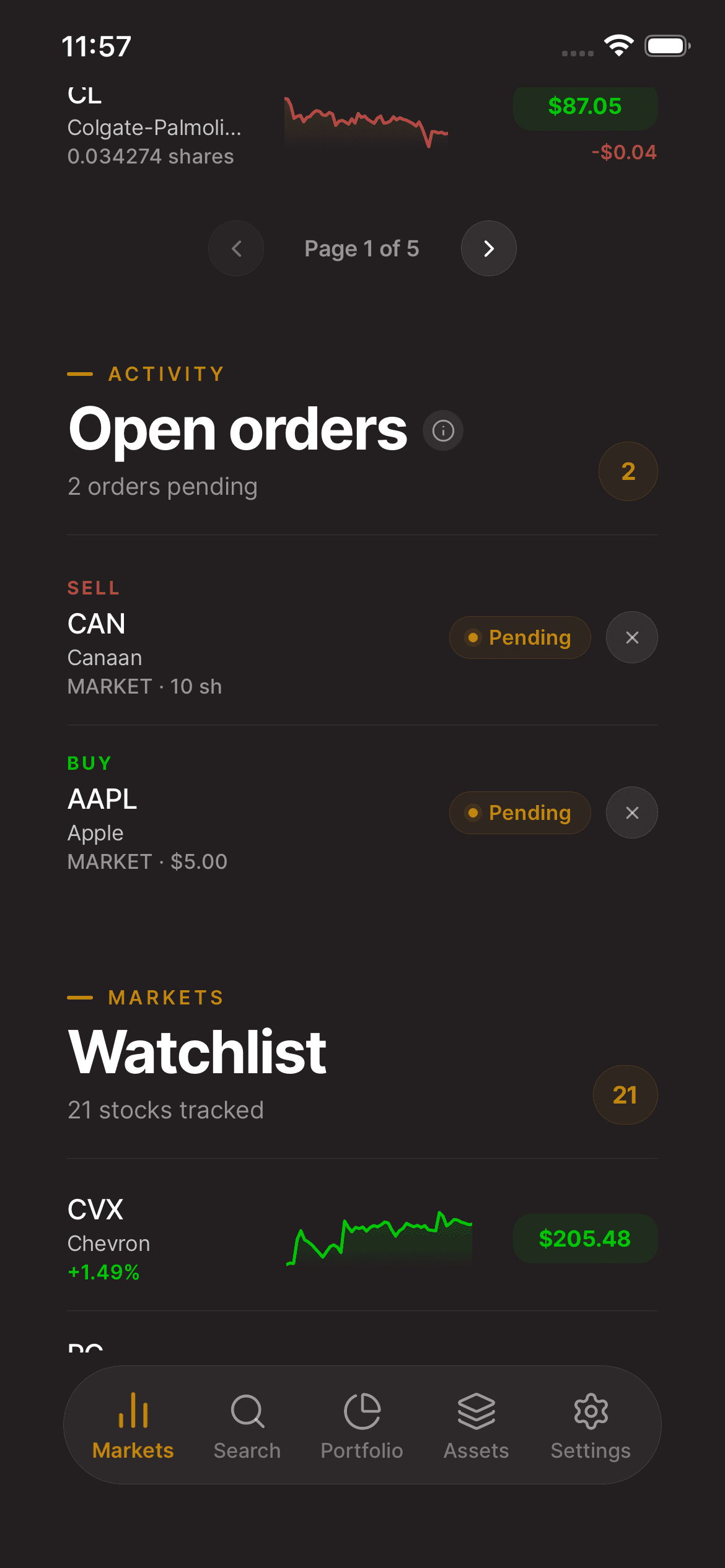
02Request cancellation
Use the cancel control if it is available. Review the Cancel this order? confirmation and submit the request only for the intended order.
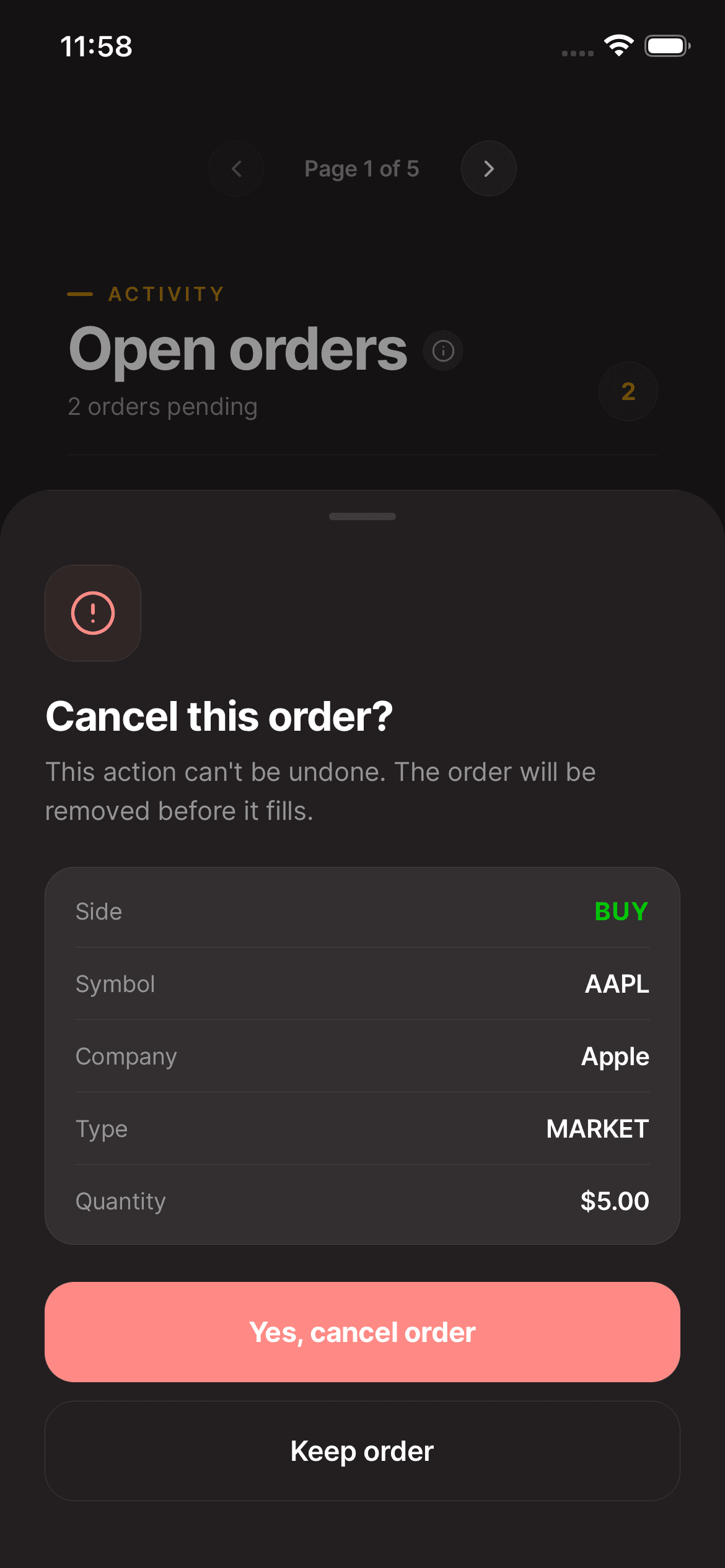
03Verify the final status
Check the order again. A Canceling status means the request is still being processed; wait for the final status and review any filled quantity before placing a replacement.
Keep in mind
If no cancel action is available, the order may no longer be eligible for cancellation. Contact support if the status is unclear.
Need help with your account? support@asalinvest.com