
The status screen is the place to check what your application needs next. Approval, review, and requests for additional information are different states.
Before you start
Sign in to the same profile used to submit your account-opening application.
01Open your verification status
Return to the identity-verification area of your account. Read the current status and any accompanying explanation.
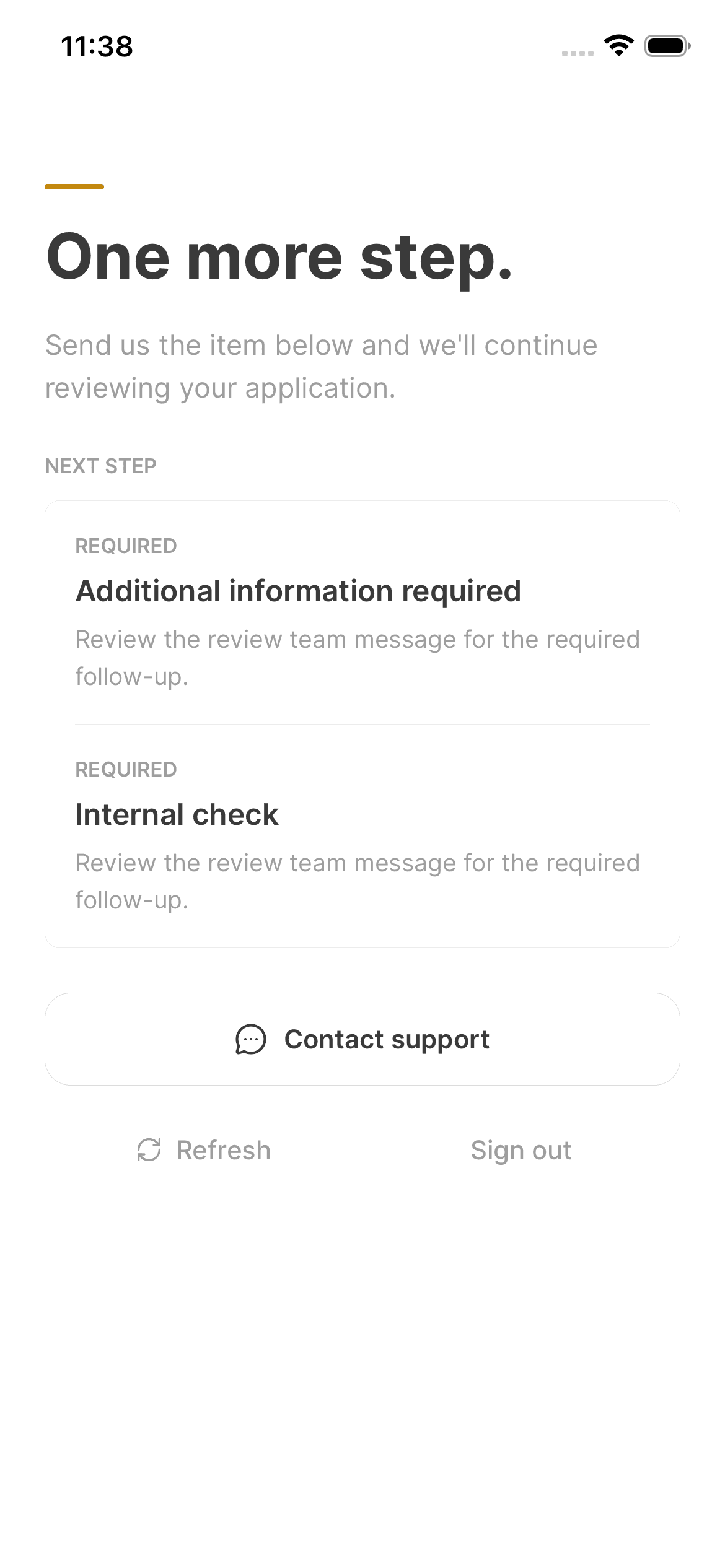
02Complete the requested action
If more information is requested, follow the displayed action to provide it. If the application is still under review, do not start a duplicate application to try to speed it up.
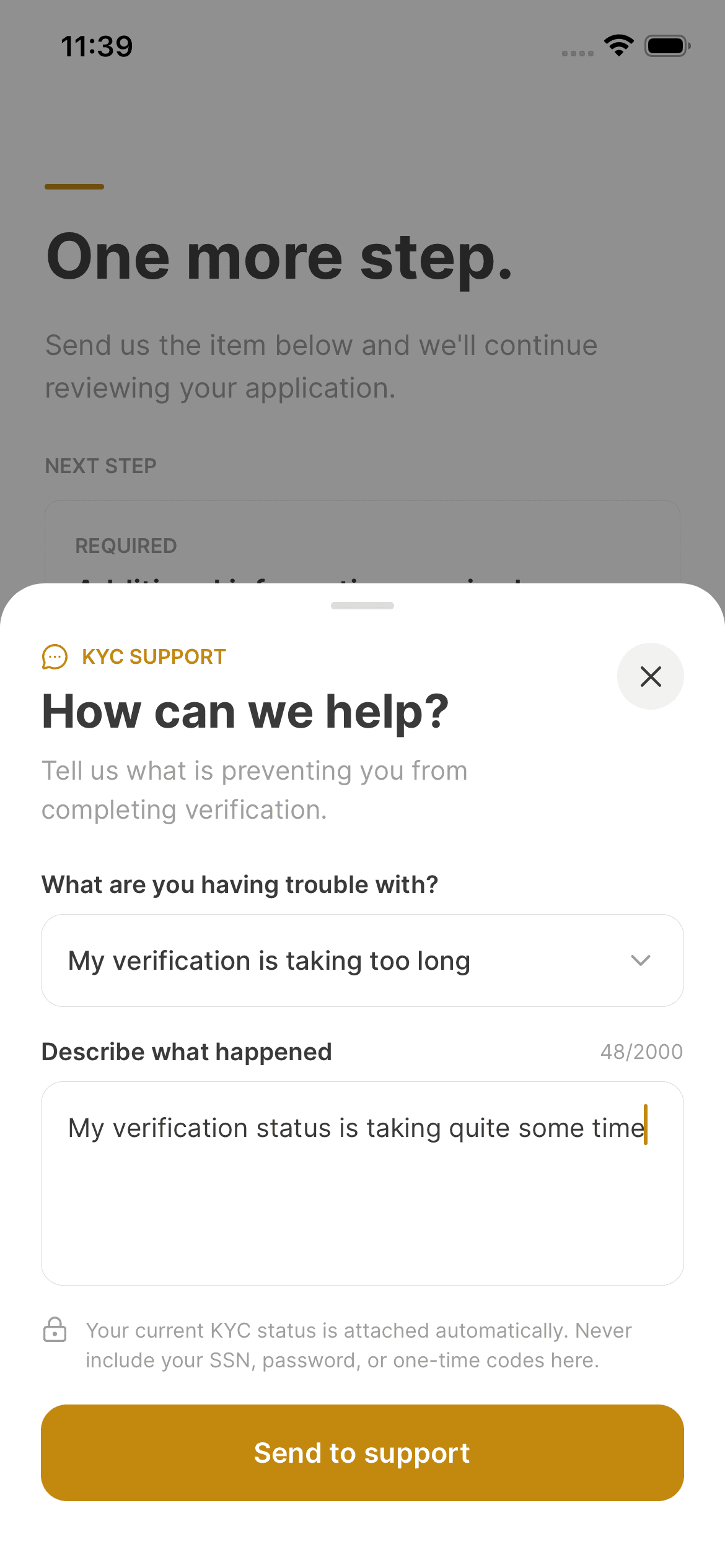
03Ask for help when needed
If the status includes an error you cannot resolve, contact support with the message and a brief description of the issue. Do not send passwords or verification codes.
Keep in mind
Review times depend on the application and any additional checks. This guide does not promise a fixed approval time.
Need help with your account? support@asalinvest.com